

Hey there! As a supplier of anti drone jammers, I've seen my fair share of issues that customers run into. Troubleshooting these devices can be a bit of a headache, but with the right approach, you can get your anti drone jammer up and running smoothly. In this blog post, I'll walk you through some common problems and how to fix them.
1. Power - related Issues
One of the most common problems with anti drone jammers is power issues. If your jammer isn't turning on, the first thing you should check is the power source. Make sure the power cable is properly plugged in, and there are no visible signs of damage to the cable or the power adapter.
Sometimes, the problem could be with the battery. If your jammer uses a rechargeable battery, check its charge level. You might need to charge it for a few hours. If the battery is old and no longer holding a charge, it's probably time for a replacement.
For vehicle - mounted anti drone jammers, like the 8 Antennas High Power Vehicle Mount Anti Drone System, ensure that the vehicle's electrical system is providing enough power. Check the fuses related to the jammer's power connection. A blown fuse can easily cut off the power supply to the device.
2. Signal Output Problems
If your anti drone jammer is on but doesn't seem to be jamming the drone signals effectively, there could be multiple reasons. First, check the antenna alignment. The antennas on anti drone jammers are crucial for signal transmission. Make sure they are properly extended and pointed in the right direction.
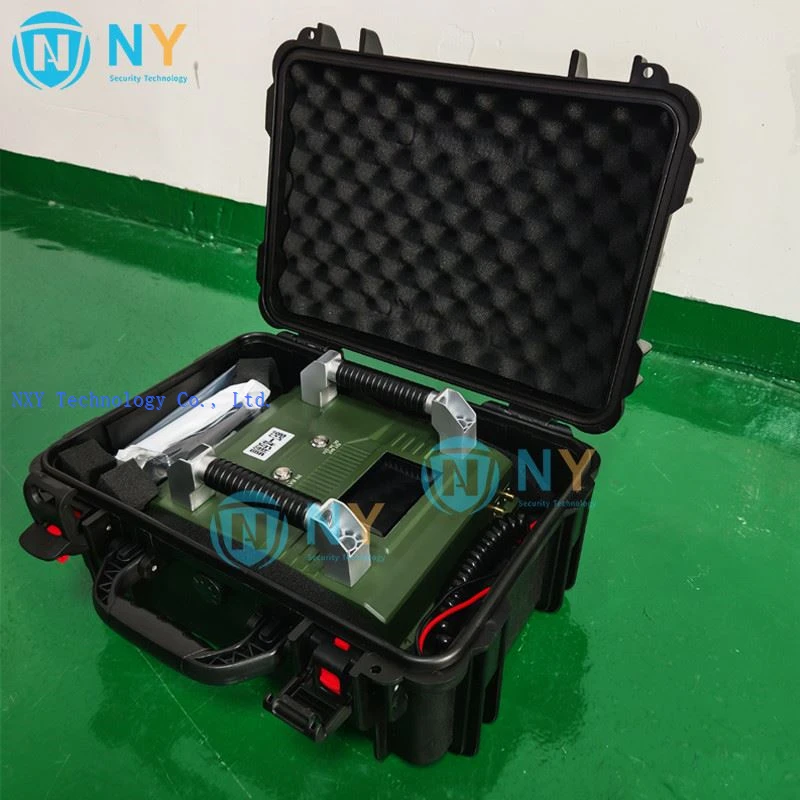

Sometimes, the jamming frequency might be misconfigured. Different drones operate on different frequencies, and your jammer needs to be set to the appropriate ones. Refer to the user manual to adjust the frequency settings. Some high - end jammers, such as the Electronic Warfare Against Drones To Buy By Car 10 Antenna High Power MINI - 10, offer a wide range of frequency options and might require more careful calibration.
Another factor could be interference from other electronic devices. If there are other powerful radio - emitting devices nearby, they could disrupt the jammer's signal. Try moving the jammer to a different location or turning off the interfering devices.
3. Software and Firmware Glitches
Many modern anti drone jammers come with software or firmware that controls their functions. Sometimes, glitches in this software can cause the device to malfunction. Check if there are any software updates available for your jammer. Updating the software can often fix bugs and improve performance.
To update the software, you usually need to connect the jammer to a computer via a USB cable and follow the instructions provided by the manufacturer. Make sure you download the updates from the official website to avoid any compatibility issues or security risks.
If the software problem persists even after an update, you might need to perform a factory reset. But be cautious, as this will erase all your custom settings. Refer to the user manual for the correct procedure to perform a factory reset.
4. Physical Damage
Inspect your anti drone jammer for any signs of physical damage. Dropping the device or exposing it to harsh environmental conditions can damage internal components. If you notice any cracks in the casing, loose parts, or damaged antennas, it's a clear indication of physical damage.
In case of minor damage, you might be able to fix it yourself if you have the necessary skills. However, for more severe damage, it's best to contact the manufacturer's support team. They can provide guidance on whether the device can be repaired or if you need a replacement.
5. Range and Coverage Issues
If you find that the jammer's effective range is shorter than expected, it could be due to several factors. Environmental conditions play a big role. For example, if there are a lot of obstacles like buildings or trees between the jammer and the drone, the signal strength can be significantly reduced.
The power output of the jammer might also be lower than normal. Check the power settings in the device's menu. Some jammers, like the Portable Shield Mn - 5 Band Directional Antenna Anti Drone Jammer Shield Drone Signal Detector, allow you to adjust the power output. Increasing the power within the safe limits can extend the range.
Troubleshooting Tips for Specific Models
- 8 Antennas High Power Vehicle Mount Anti Drone System:
- For this vehicle - mounted system, apart from the general power and signal checks, ensure that the vehicle's movement doesn't cause any loose connections. Vibration during driving can sometimes loosen cables or components.
- Check the grounding of the system. A proper ground connection is essential for the stable operation of high - power jammers.
- Electronic Warfare Against Drones To Buy By Car 10 Antenna High Power MINI - 10:
- Given its multiple antennas, pay extra attention to the alignment and condition of each antenna. Misaligned or damaged antennas can lead to uneven signal coverage.
- Since it's a high - power device, monitor the temperature. Overheating can cause performance issues. Make sure there is proper ventilation around the device.
- Portable Shield Mn - 5 Band Directional Antenna Anti Drone Jammer Shield Drone Signal Detector:
- This portable model is more likely to be used in different environments. Check for any signs of moisture or dust ingress. These can damage the internal components over time.
- Calibrate the directional antenna regularly to ensure it's accurately pointed towards the target area.
Conclusion
Troubleshooting an anti drone jammer can seem like a daunting task, but by following these steps, you can identify and fix most common problems. Remember, if you're still having issues after trying all these solutions, don't hesitate to reach out to our support team.
We're here to help you get the most out of your anti drone jammer. Whether you're a security professional, a private individual, or part of a government agency, having a properly functioning anti drone jammer is crucial for keeping your airspace safe.
If you're interested in purchasing an anti drone jammer or have any questions about our products, feel free to contact us. We can offer you detailed product information, technical support, and help you choose the best model for your specific needs. Let's work together to keep the skies above you drone - free!
References
- Manufacturer's user manuals for 8 Antennas High Power Vehicle Mount Anti Drone System, Electronic Warfare Against Drones To Buy By Car 10 Antenna High Power MINI - 10, and Portable Shield Mn - 5 Band Directional Antenna Anti Drone Jammer Shield Drone Signal Detector.
- Industry reports on anti - drone technology and troubleshooting.